
Hi!
Do you ever feel like it takes way too many clicks to get to the files you need in Teams or SharePoint?
Here’s a simple trick to save time: Add a shortcut to your OneDrive instead of syncing entire folders to your computer.
✨ Why use a shortcut instead of sync?
-
Faster access – your files show up right in OneDrive alongside everything else.
-
Less clutter – no need to sync whole libraries you’ll never use.
-
Always updated – you’re always working with the latest version in Teams/SharePoint.
📌 How to do it:
-
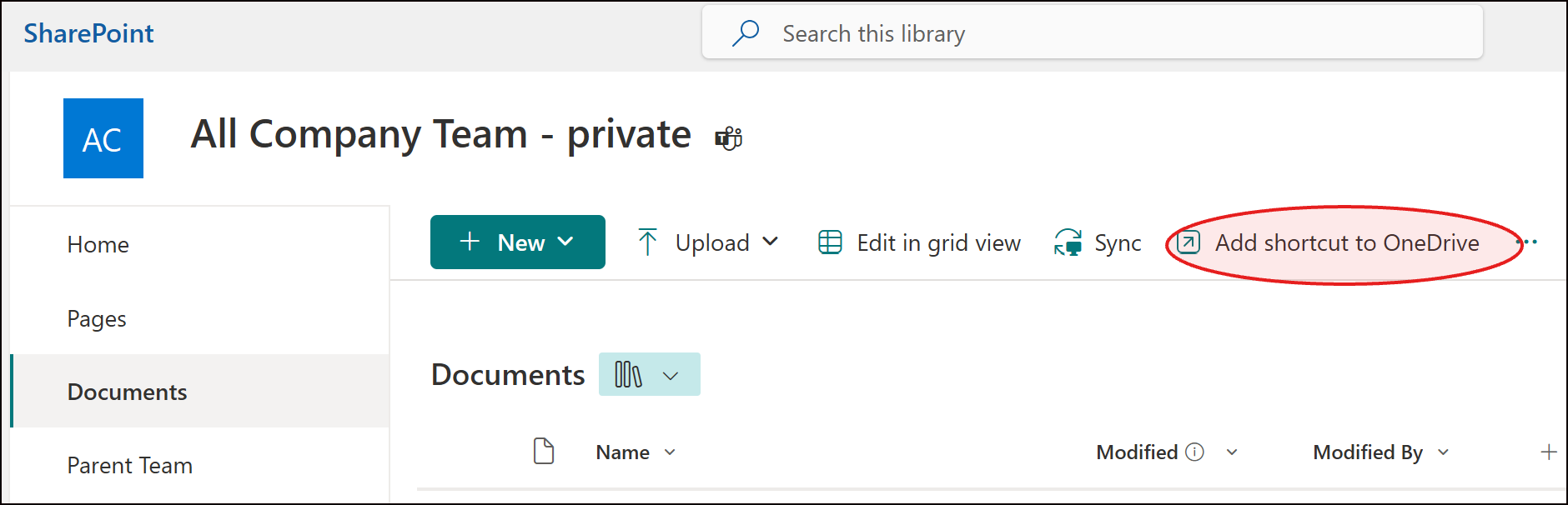
Go to the SharePoint Document Library (or team in Teams).
-
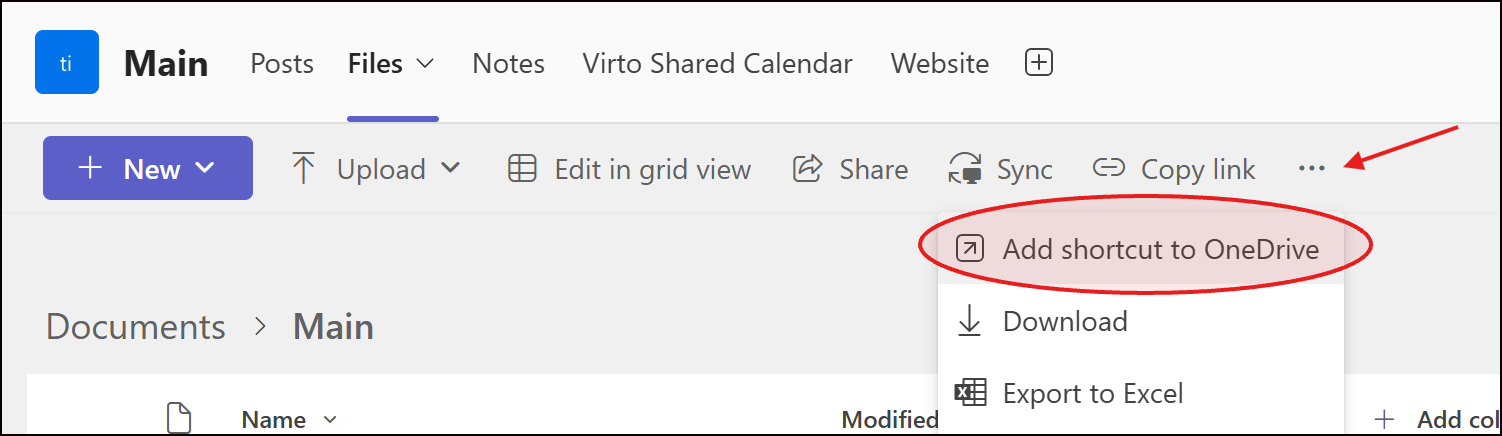
Navigate to the folder you want (in Teams click Files tab).
-
Click “Add shortcut to OneDrive” (top menu).
-
Open OneDrive – your shortcut is right there, no hunting required!
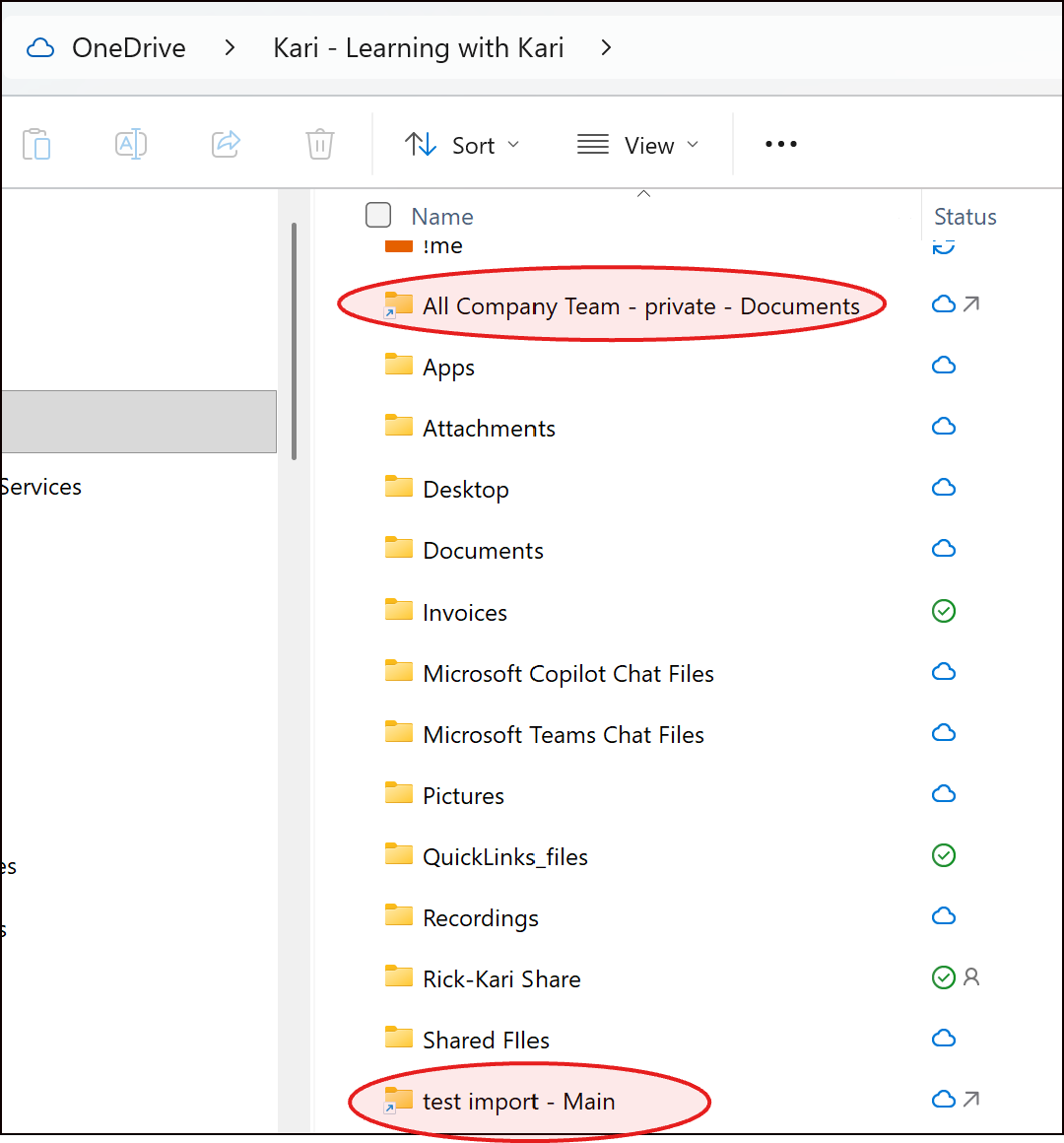
💡 Pro tip: You can add multiple shortcuts from different Teams and SharePoint Libraries. They’ll all live neatly in your OneDrive, giving you a single hub for quick access.
Watch the Video....📽️
 |
💡 Why This Matters
Microsoft is moving towards shortcuts.
-
Always know which version is the latest
-
Collaborate confidently without duplicate files
-
Save time and mental energy—focus on your work, not file chaos
🔜 Coming Soon: My brand-new course on cutting through Microsoft 365 file chaos — so you always know where to save and how to find it.
You’ll learn:
-
How OneDrive, Teams, and SharePoint actually work together
-
When to use which app (with real examples!)
-
Strategies to cut through file chaos and confusion
👉 Want early access or updates? Join the waitlist here or just hit reply and let me know — I’d love to hear from you.
📚 Want to Learn More?
You can always find all my Tips and Tricks —including past ones on Teams, Outlook, OneNote, and more—are on my website.
👉https://www.learningwithkari.com/blog
All my best,
Kari
Microsoft 365 Trainer & Productivity Coach
learningwithkari.com
Helping you save time, get organized, and feel confident using Microsoft 365 tools.
✨ P.S. Have a question or idea for a future tip? Just hit reply — I’d love to hear from you!

Responses