
 Hi 😊
Hi 😊
I've been quiet lately—and for an awesome reason:
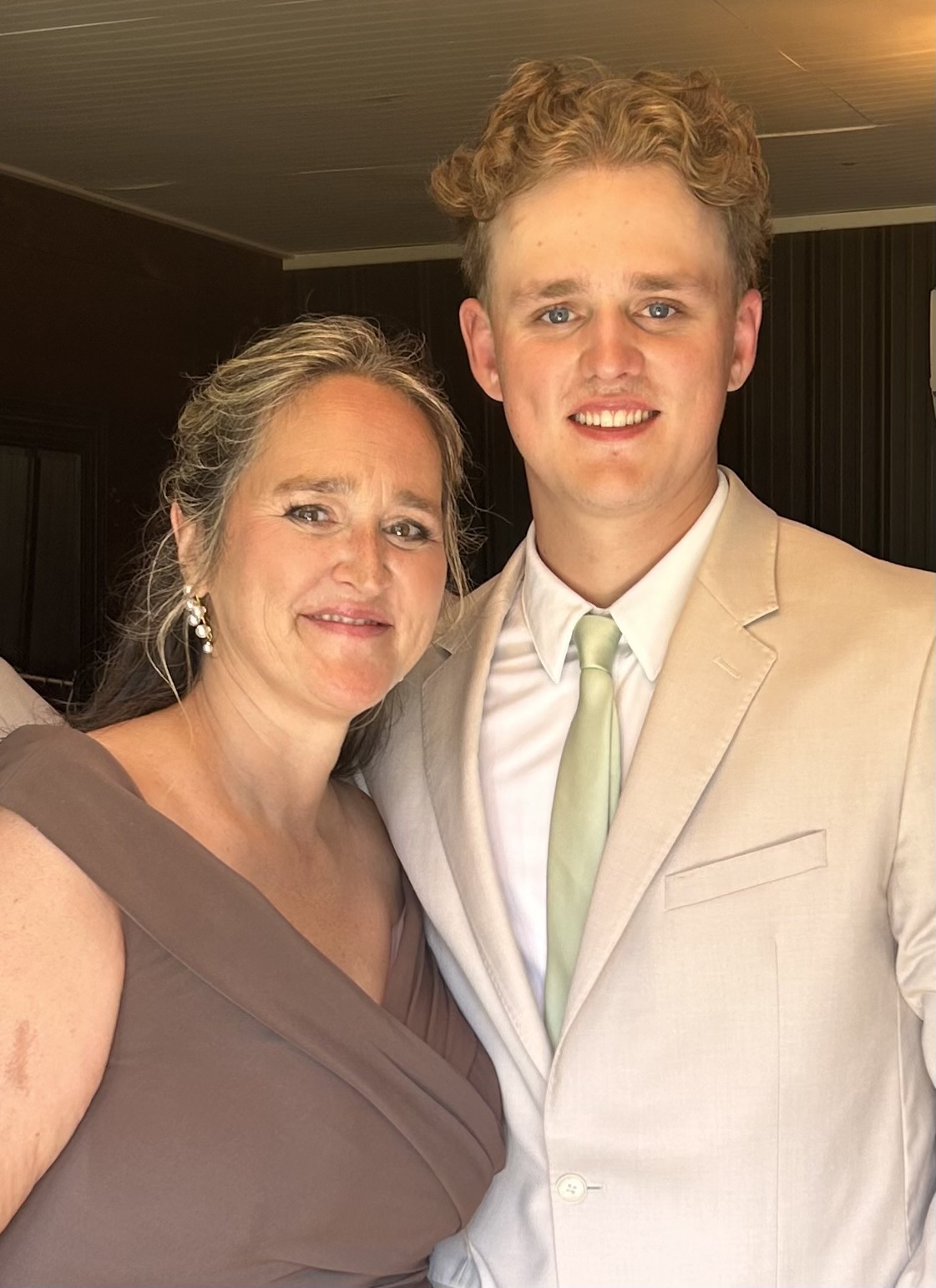
✨ My son got married! ✨ 💍
It was such a joyful and love-filled weekend, and I’m still smiling from it all. 💕 Time spent with friends and family surrounding us to celebrate. What's better?? I'm in a bit of a post-wedding afterglow. Yet another reminder that these days aren't promised to us and what a gift they are. To be able to witness these life events and to soak it all in. I'm overflowing with pure joy and immense gratitude.
Life is Short, Make Time for What Matters!!
Here are a couple favorite photos from the big day:

Needless to say, I wasn’t checking email for a few days. And when I finally opened Outlook again, it was… a lot. Have you been there??
But you know what helped me instantly spot the most important emails?
📑Color Coding in Outlook!
This one simple setting helped me visually sort through the noise and find what mattered most—fast.
Here’s how to do it:
-
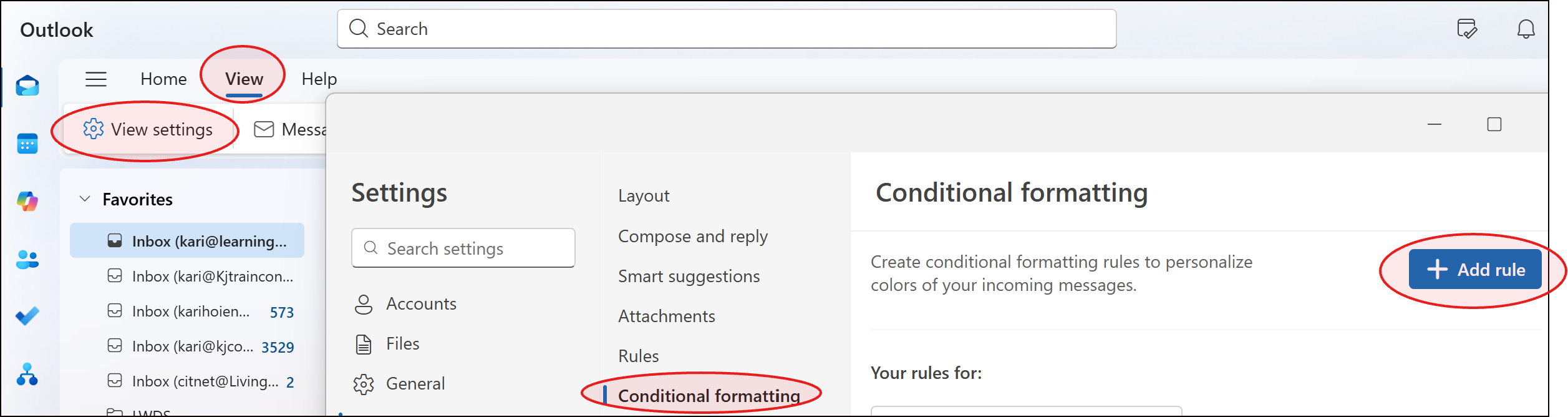
Go to View > View Settings > Conditional Formatting.
-
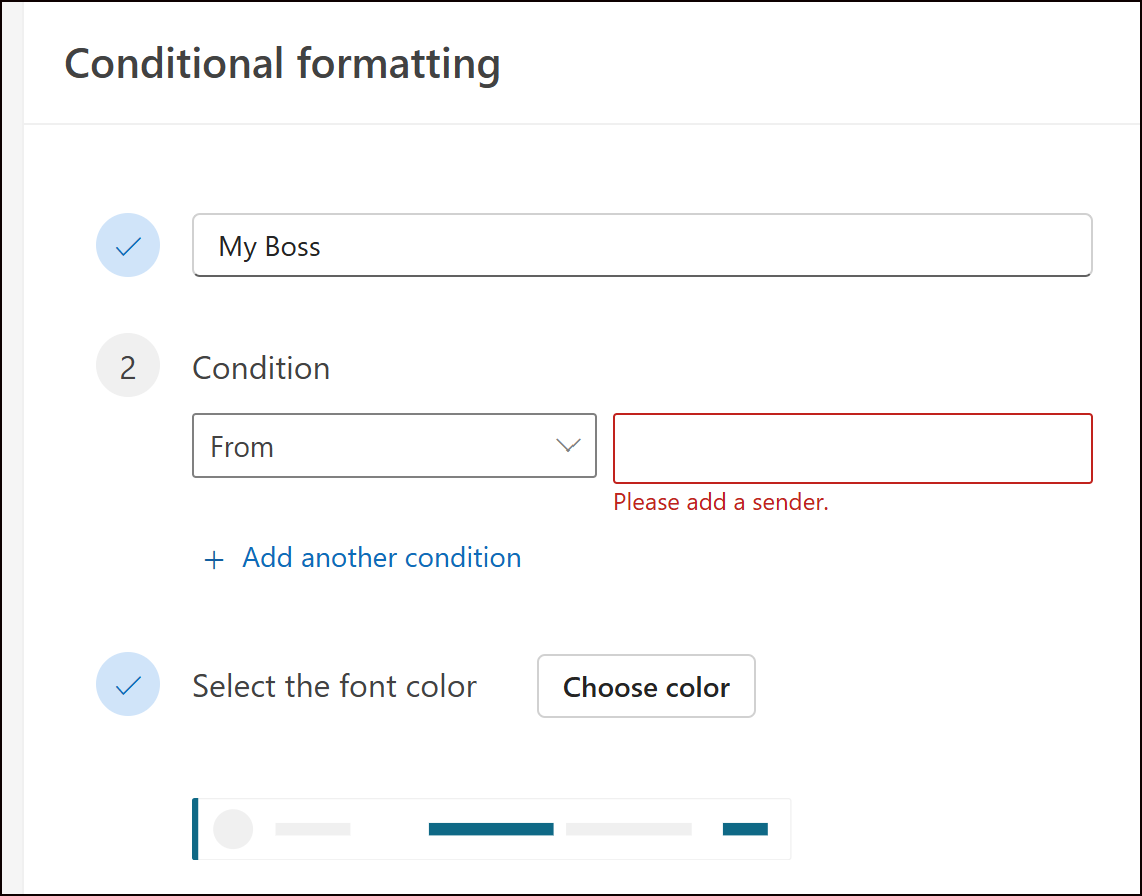
Click Add Rule, name your rule something like “From My Manager” or “High Priority”.
-
Choose a font color (I love bold red or green).
-
Click Condition to filter by sender, subject, or flags.
This tiny trick makes a huge difference when your time (or brain space) is limited.
📌Pro Tip: Want flagged emails to show up in bold red? Or make your boss’s emails stand out in blue? You can!
💡Why This Saves Time:
✅ Quickly spot high-priority emails without reading every subject line
✅Visually separate work vs. personal or urgent vs. FYI at a glance
✅Spend less time triaging your inbox after time away
✅Focus faster by knowing where to start
✅Reduce overwhelm during busy seasons (like wedding weeks!)
📚 Want to Learn More?
You can always find all my Tips and Tricks —including past ones on Teams, Outlook, OneNote, and more—are on my website.
👉https://www.learningwithkari.com/blog
P.S. Did you see my Inbox Relief course launch last week?
Did you catch my Inbox Relief course launch?
It’s still available for just $77—perfect if your inbox is running your day instead of the other way around!

Responses