

Hello there,
I hope you're enjoying the Teams Tips & Tricks! If you have any feedback or if you just want to tell me how the format is working for you....just hit REPLY!
As we are diving back into Microsoft Teams, as promised, another tip this time looking at channels, so here we are with Kari's Tips and Tricks #103: Renaming the General Channel in Teams.

How Do YOU Like to Learn?
Since I'm in the business of learning - there are always 2 ways you can learn this tip #1 - Read the step by steps with screenshots or #2 - watch the video (or #3 - both 😊)
Renaming the General Channel in Teams
In every team, there was always one default channel, named General. This was intended to be the main place where conversations and activity took place. As Teams evolved, Microsoft realized that people used Teams so differently that General didn't always apply. So now you can rename the General channel and give your main channel a more meaningful name making it more intuitive to organize and navigate in Teams.
How to Rename the General Channel
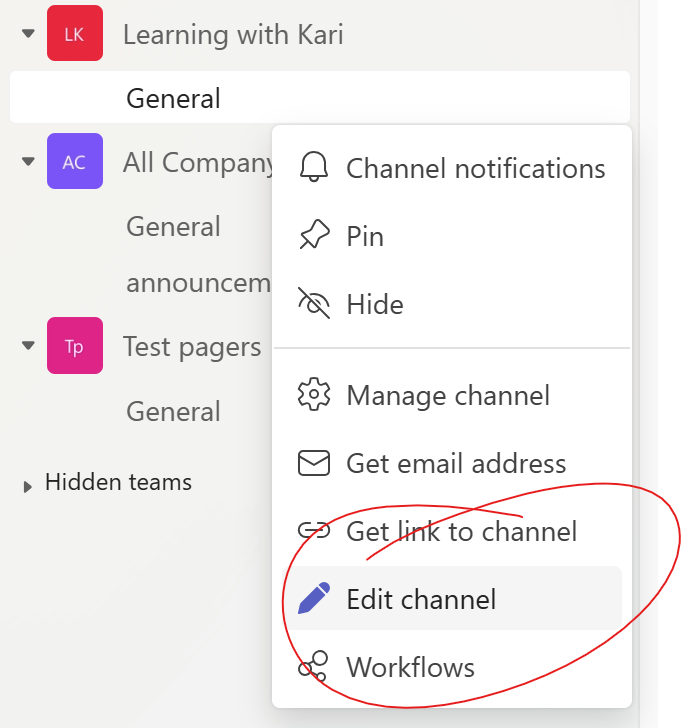
1. Go to your Team and click on the General channel and hover next to it and click on the ... and select Edit channel.
2. In the window, type in a new name for the channel.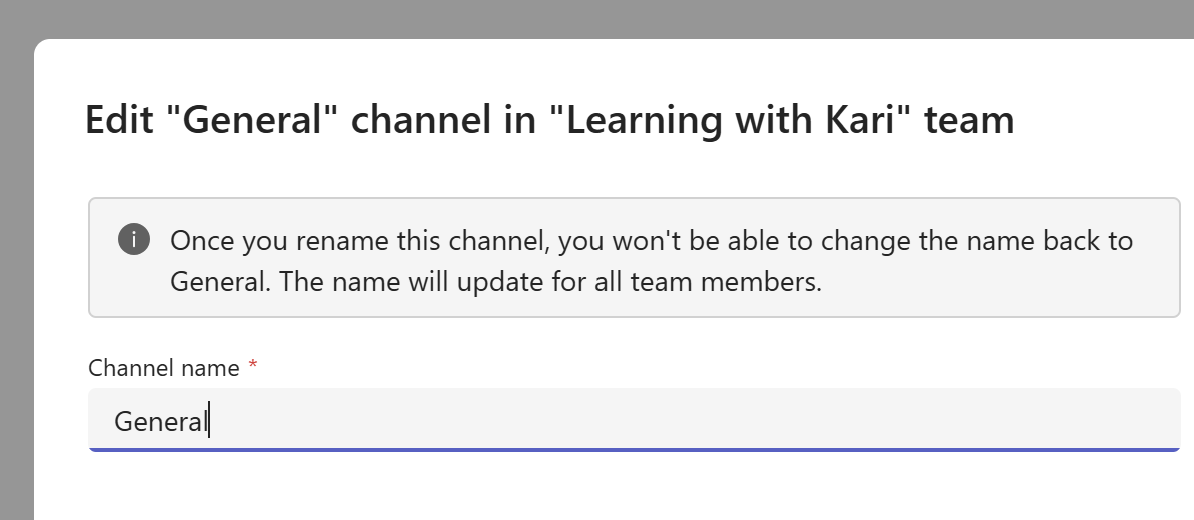
New Teams and First Channel
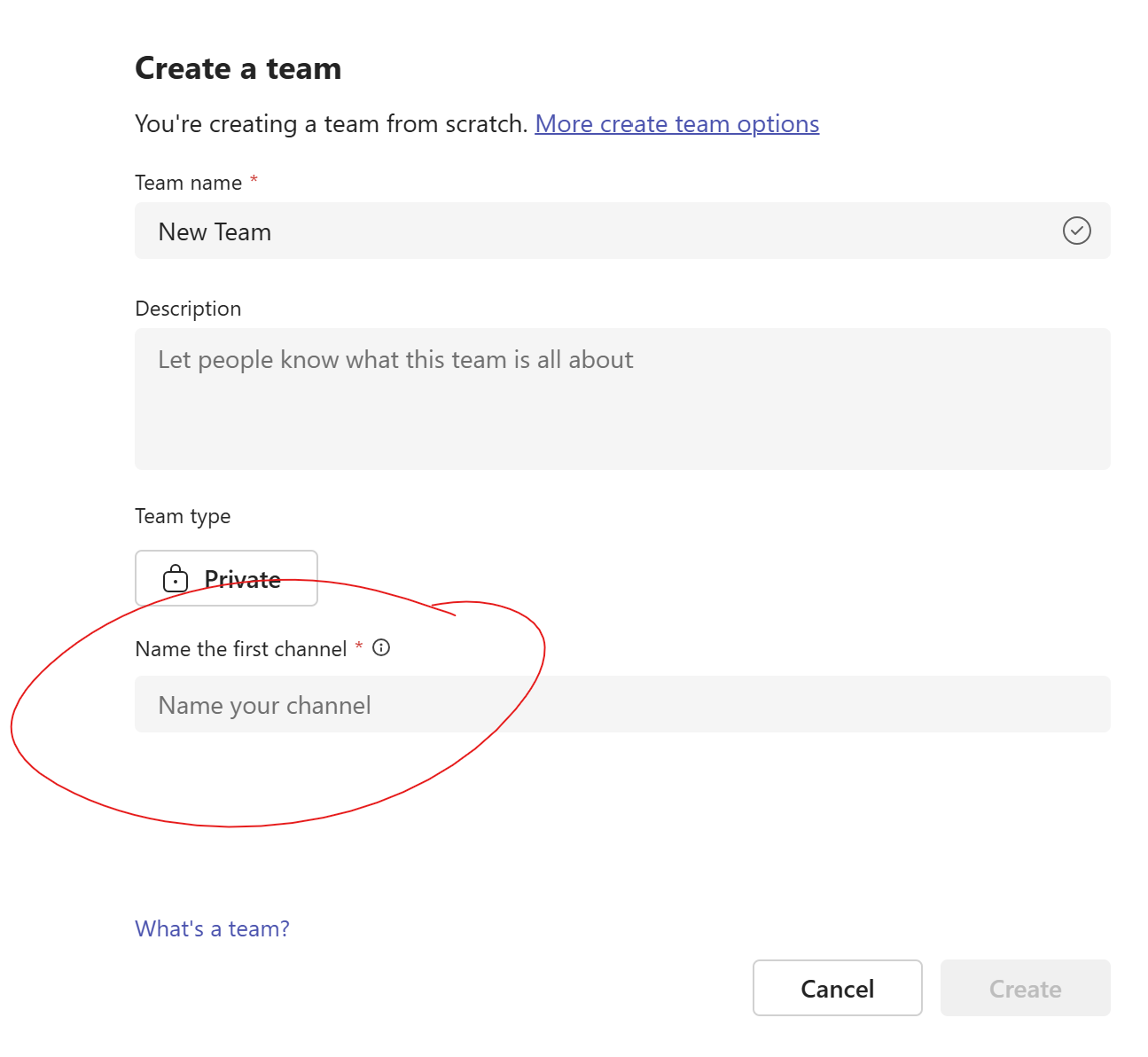
When you create a new team, you will be prompted to give the first channel a name, it won't automatically name it General anymore.
Watch the Tip (2 minutes)
Click on the link below to watch the video.
 |
Next Up....
Next Tips/Tricks....The New Teams Calendar.
Share with friends and colleagues!
We hope you find these tips helpful. If so - please share them with your friends so they can sign up too!
But that's not all! Coming soon...I'm launching a comprehensive course on Microsoft Teams, designed to help you become a Teams Power User. Stay tuned for more details!
I'd love to hear your thoughts on this week's topic. Do you have any Microsoft Teams tips to share? Or perhaps there's a topic you'd like me to cover in the future? Reply to the email and let me know!
Until next time,
Kari Hoien, M.A. in Education Technology
Microsoft Office Expert Trainer and Consultant

Responses